Docking workspace system
Dock
Composable workspaces for serious desktop applications.
Overview
A complete docking layout system for Avalonia 11 and 12 with floating windows, ItemsSource documents, deferred and cached content, serialization, theming, and multiple MVVM integrations.
Dock separates workspace models from Avalonia presentation. Factories and ItemsSource collections create documents and tools; themes, deferred materialization, and optional content caching control presentation; serializers preserve the result across sessions and application architectures.
ItemsSource documents, tool panes, and floating windows
Deferred materialization and optional tab content caching
JSON, XML, YAML, and Protobuf layouts
MVVM, ReactiveUI, Prism, ReactiveProperty, and dependency injection
Built for
Where it fits.
- IDE and engineering-tool authors
- Desktop apps with document/tool workspaces
- MVVM teams needing serializable layouts
Compatibility & status
Current packages
Source-linked package lane
Supported
Integrations
Model dependent
In the work
Real output,
not a mockup.
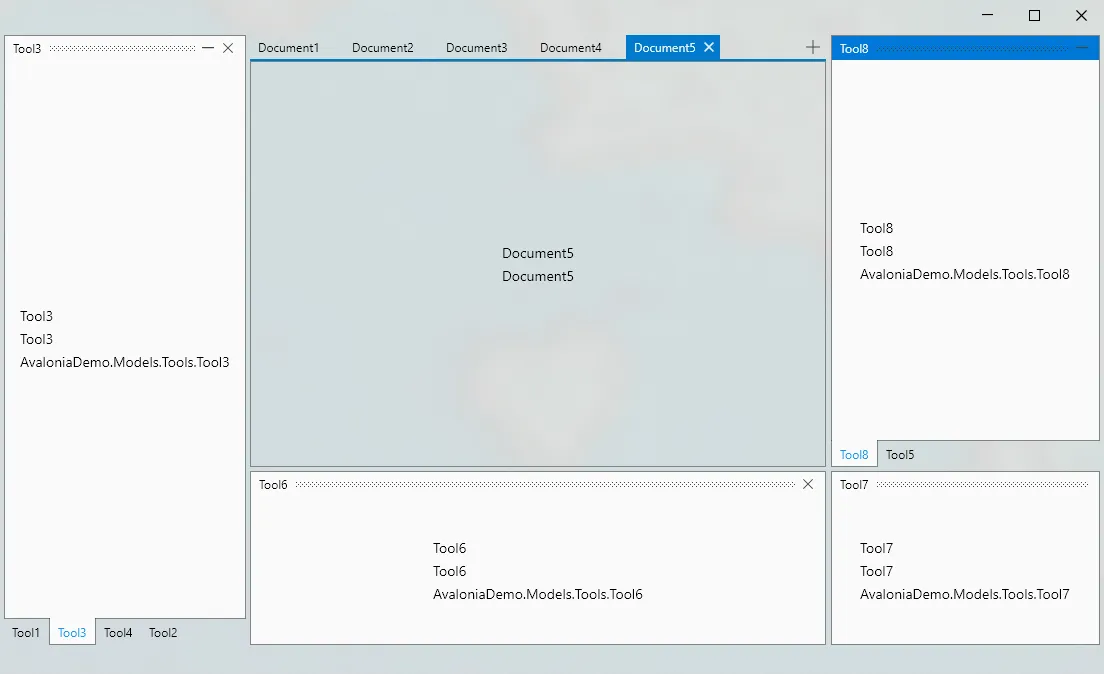
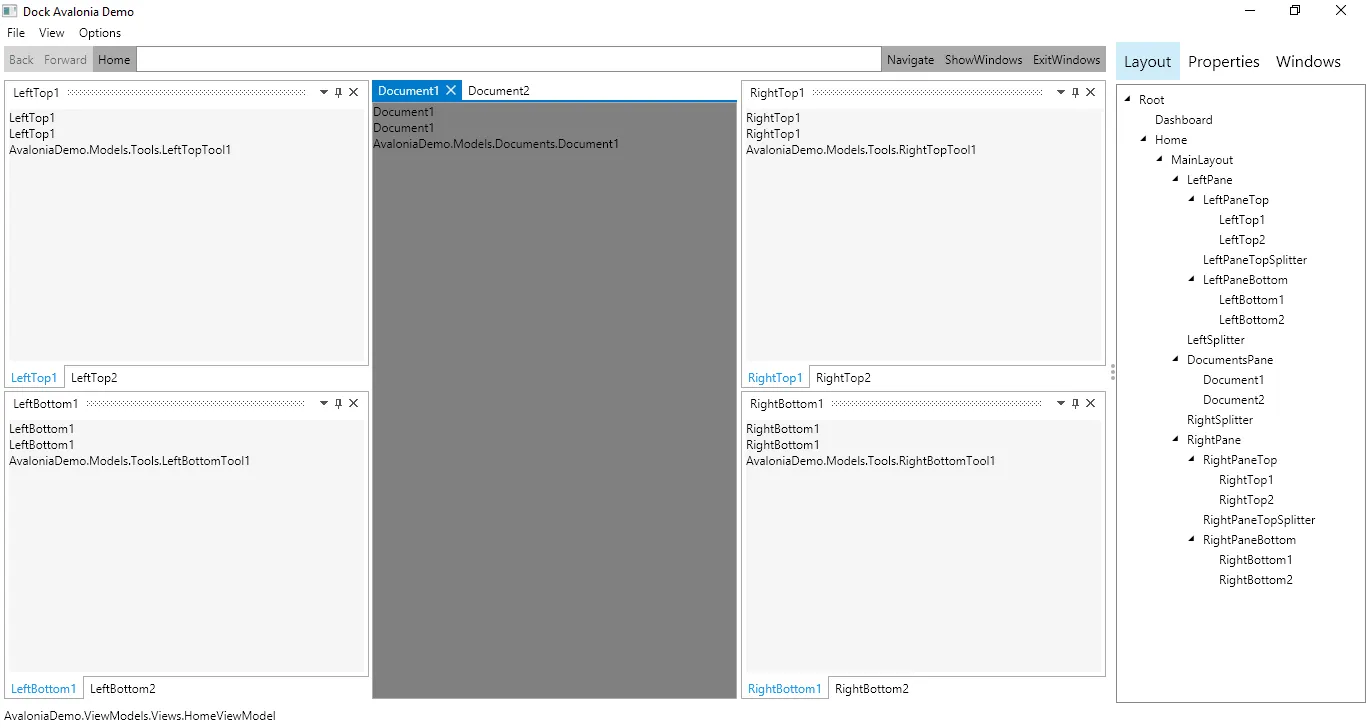
Architecture
Clear layers.
Replaceable seams.
Model
Framework-neutral docks, documents, tools, factories, and commands.
View
Avalonia controls, presenters, drag indicators, and floating windows.
Theme
Fluent, Simple, and community styling packages.
Persistence
JSON, XML, YAML, and Protobuf layout serialization.
Inside Dock
One repository.
Multiple serious systems.
Explore the focused capabilities, their package boundaries, architecture, installation, and smallest useful example.
Avalonia controls present model-driven document and tool layouts with splits, tabs, drag/drop docking, floating windows, and active-item tracking.
1 module→02 · Choose the application architectureModel IntegrationsA framework-neutral model plus MVVM, ReactiveUI, Prism, INPC, ReactiveProperty, and Caliburn.Micro implementations lets applications adopt Dock without changing architecture.
5 modules→03 · Fluent, Simple, and browser stylingThemesDedicated theme packages supply complete control themes, resources, indicators, floating windows, and density choices for different application shells.
3 modules→04 · Save and restore workspacesLayout PersistenceSerializer packages preserve Dock layouts through System.Text.Json, Newtonsoft.Json, XML, YAML, and Protobuf while keeping persistence outside the UI layer.
5 modules→05 · Scale complex workspacesAdvanced Controls & DiagnosticsRecycling, deferred content, proportional layout, markup extensions, settings, and diagnostic packages address large and highly dynamic Dock applications.
5 modules→Quick start
From package
to first frame.
Choose the package workflow used by your repository, then start from the smallest working example. Replace VERSION with the current stable or prerelease version shown on NuGet.
dotnet add package Dock.Avaloniadotnet add package Dock.Model.Mvvmdotnet add package Dock.Avalonia.Themes.Fluent<PackageReference Include="Dock.Avalonia" Version="VERSION" /><PackageVersion Include="Dock.Avalonia" Version="VERSION" /><dock:DockControl Layout="{Binding Layout}" Factory="{Binding Factory}" />Package surface
Start focused.
Compose as needed.
Source, docs, samples, and releases
The repository is the source of truth.
Use the current documentation and samples, inspect changes, report issues, or support continued open-source maintenance.