SVG asset conversion
SvgToXaml
Move vector assets into native XAML once—or regenerate them on every build.
Overview
A desktop and build-time converter that turns SVG artwork into Avalonia XAML drawings, geometries, and resource dictionaries.
SvgToXaml converts SVG artwork into Avalonia-native XAML either interactively or as a deterministic MSBuild asset step. The model, converter, desktop and Web hosts, and build task expose resource reuse, geometry transforms, and compatibility controls.
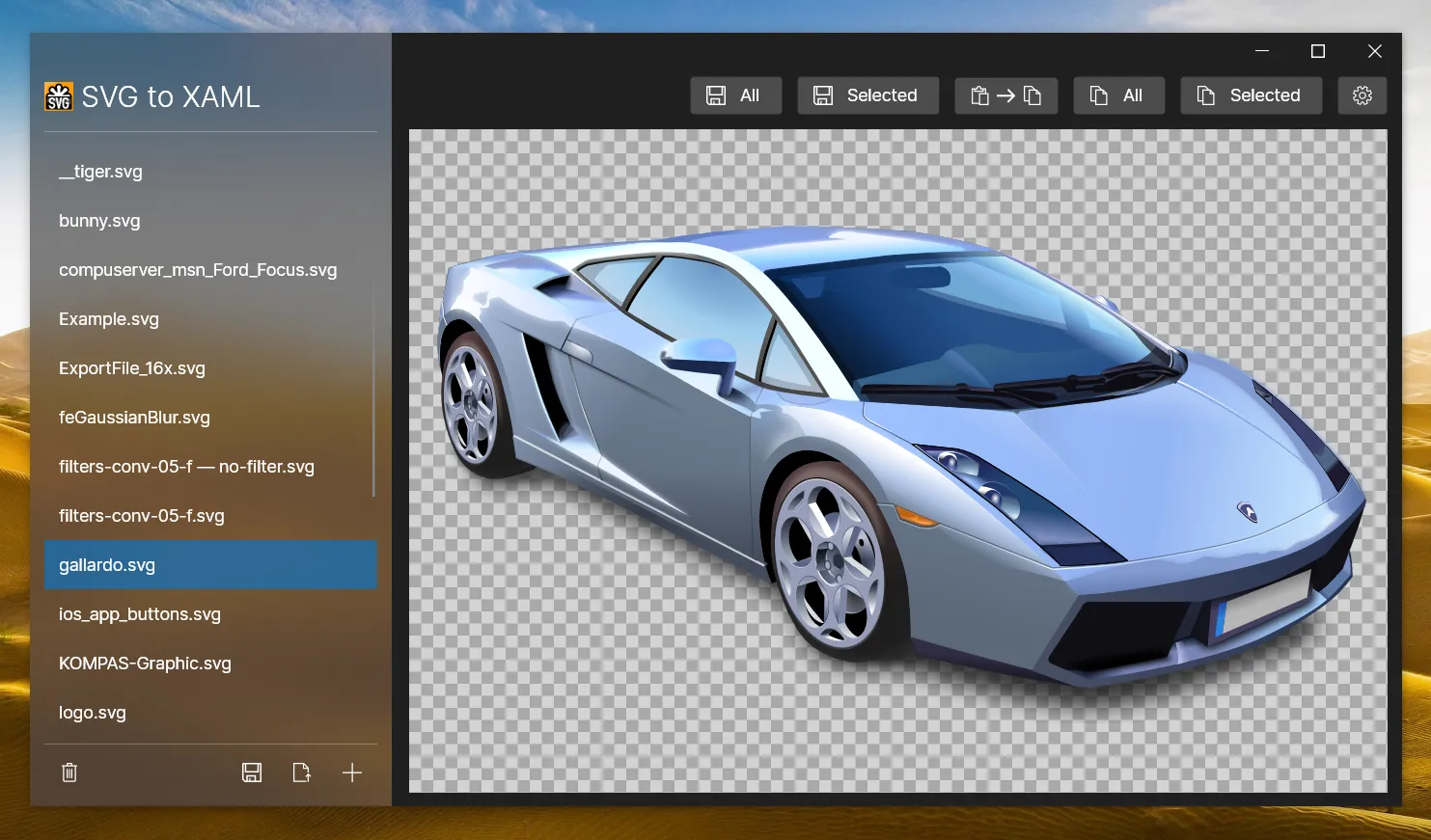
Desktop conversion workflow
MSBuild asset generation
Combined resource dictionaries
Geometry, resource, and compatibility options
Built for
Where it fits.
- Avalonia applications with vector icon pipelines
- Design-system and asset-build maintainers
- Developers converting SVG into inspectable XAML resources
Compatibility & status
Drawing output
Integrated task
Combined output
Configurable handling
In the work
Real output,
not a mockup.
Architecture
Clear layers.
Replaceable seams.
Model
SVG geometry, paint, resources, transforms, and containers become a conversion model.
Converter
Mapping rules emit Avalonia drawing and geometry structures.
Hosts
Desktop and browser tools support interactive inspection and export.
Build
MSBuild generates individual AXAML files or combined dictionaries.
Inside SvgToXaml
One repository.
Multiple serious systems.
Explore the focused capabilities, their package boundaries, architecture, installation, and smallest useful example.
The converter parses SVG content into an intermediate drawing model and emits Avalonia XAML geometry, drawing, brush, transform, clip, mask, filter, and resource structures for desktop or browser workflows.
1 module→02 · Regenerate XAML during buildMSBuild Asset PipelineSvgToXaml.Build consumes SvgFiles items, combines many sources into one ResourceDictionary or emits individual AXAML files, and exposes conversion, compatibility, resource reuse, geometry, opacity, filter, clip, mask, and newline settings.
1 module→Quick start
From package
to first frame.
Choose the package workflow used by your repository, then start from the smallest working example. Replace VERSION with the current stable or prerelease version shown on NuGet.
dotnet add package SvgToXamlConverterdotnet add package SvgToXaml.Build<PackageReference Include="SvgToXamlConverter" Version="VERSION" /><PackageVersion Include="SvgToXamlConverter" Version="VERSION" /><ItemGroup> <SvgFiles Include="Assets/**/*.svg" OutputFile="Assets/Icons.axaml" /></ItemGroup>Package surface
Start focused.
Compose as needed.
Source, docs, samples, and releases
The repository is the source of truth.
Use the current documentation and samples, inspect changes, report issues, or support continued open-source maintenance.