In-app Uno diagnostics
DevToolsUno
Inspect the running Uno interface without leaving the application.
Overview
A responsive in-app diagnostics suite for Uno Platform with live tree, property, binding, resource, style, event, asset, screenshot, and memory inspection.
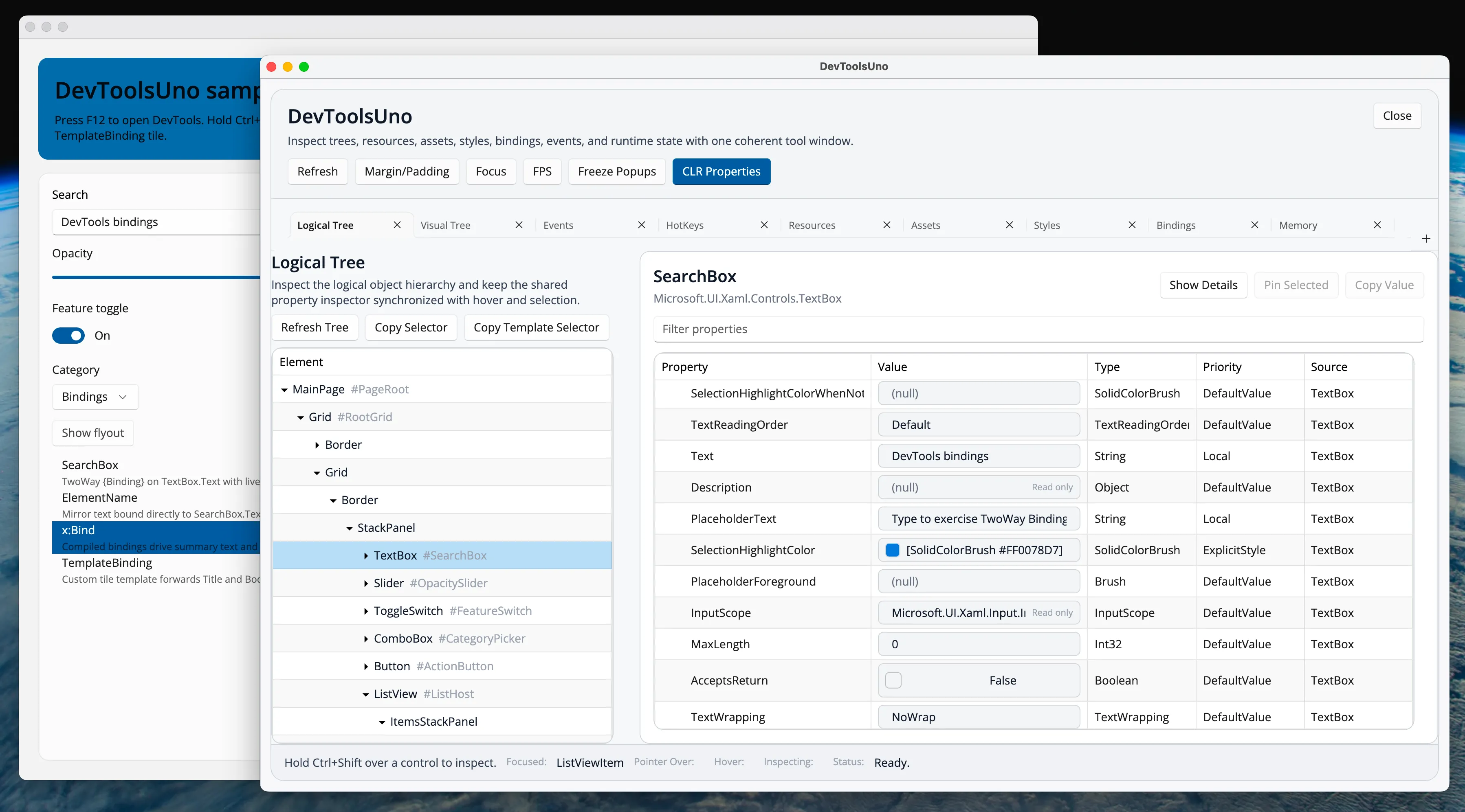
DevToolsUno attaches to an Uno Application, Window, or FrameworkElement and opens a dedicated diagnostics shell inside the running app. Responsive tabbed panes keep contextual inspectors and wrapped command rows usable in compact windows while bringing visual-tree inspection, binding analysis, resource and style exploration, event routes, assets, screenshots, and memory tracking into one keyboard-driven surface.
Logical and visual trees
Bindings, resources, and styles
Responsive tabbed inspectors
Screenshots and keyboard inspection
Built for
Where it fits.
- Uno Platform application teams
- Control and design-system authors
- Developers diagnosing bindings, styles, events, or retained objects
Compatibility & status
9.0
6.5.x
Primary
Pluggable
In the work
Real output,
not a mockup.
Architecture
Clear layers.
Replaceable seams.
Attach
Extension methods connect diagnostics to an Application, Window, or root FrameworkElement.
Observe
Adapters capture logical and visual trees, properties, bindings, events, resources, and assets.
Inspect
A responsive tabbed diagnostics window provides contextual inspectors, filtering, pinning, source views, and pointer inspection.
Act
Configurable hotkeys select hovered controls, freeze popups, and capture screenshots.
Quick start
From package
to first frame.
Choose the package workflow used by your repository, then start from the smallest working example. Replace VERSION with the current stable or prerelease version shown on NuGet.
dotnet add package DevToolsUno<PackageReference Include="DevToolsUno" Version="VERSION" /><PackageVersion Include="DevToolsUno" Version="VERSION" />using DevToolsUno;using DevToolsUno.Diagnostics;
_devTools = window.AttachDevTools(new DevToolsOptions{ LaunchView = DevToolsViewKind.VisualTree, ShowAsChildWindow = false});Package surface
Start focused.
Compose as needed.
Source, docs, samples, and releases
The repository is the source of truth.
Use the current documentation and samples, inspect changes, report issues, or support continued open-source maintenance.