Spatial navigation control
PanAndZoom
A precise, reusable viewport for diagrams, maps, editors, and infinite canvases.
Overview
A focused Avalonia control for smooth zoom-to-point, panning, built-in or custom content bounds, resize policies, keyboard and multi-touch navigation, history, rotation, state, and animation.
PanAndZoom concentrates the geometry and input details of an infinite-canvas viewport into one control. Pointer-centered zoom, five content-bounds policies, custom validation hooks, resize behavior, history, keyboard and touch input, rotation, snapping, state serialization, and animation remain independent from the content inside.
Pointer-centered zoom
Built-in and overridable content bounds
Resize policies, animation, history, and saved views
Keyboard, wheel, multi-touch, rotation, grid, and accessibility
Built for
Where it fits.
- Diagram and node editor authors
- Map, image, and document viewers
- Any Avalonia app with a large spatial surface
Compatibility & status
Supported
Supported
Supported
Platform dependent
In the work
Real output,
not a mockup.
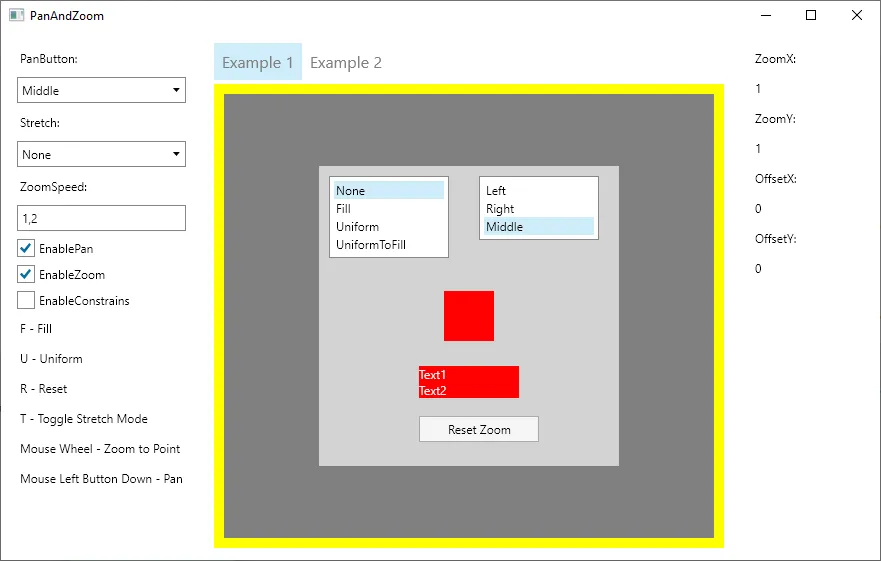
Architecture
Clear layers.
Replaceable seams.
Model
Application state stays in portable domain objects and view models.
Control
Avalonia controls expose focused properties, commands, and events.
Theme
Templates and styles make the surface adaptable to each application.
Quick start
From package
to first frame.
Choose the package workflow used by your repository, then start from the smallest working example. Replace VERSION with the current stable or prerelease version shown on NuGet.
dotnet add package PanAndZoom --prerelease<PackageReference Include="PanAndZoom" Version="VERSION" /><PackageVersion Include="PanAndZoom" Version="VERSION" /><paz:ZoomBorder ZoomSpeed="1.2" MinZoom="0.1" MaxZoom="10"> <Canvas Width="2400" Height="1600" /></paz:ZoomBorder>Package surface
Start focused.
Compose as needed.
Source, docs, samples, and releases
The repository is the source of truth.
Use the current documentation and samples, inspect changes, report issues, or support continued open-source maintenance.