VectorSpace
Local-first vector design, prototyping and live collaboration
VectorSpace is a local-first vector design, prototyping and collaborative editing workspace built with Uno Platform and SkiaSharp. Its browser host runs real C# through Uno WebAssembly—not an HTML mockup, WebView wrapper or embedded third-party editor—and shares one workbench with Windows, macOS and Linux. An optional self-hosted ASP.NET service adds shared editing, remote cursors, comments and role-based invitations.
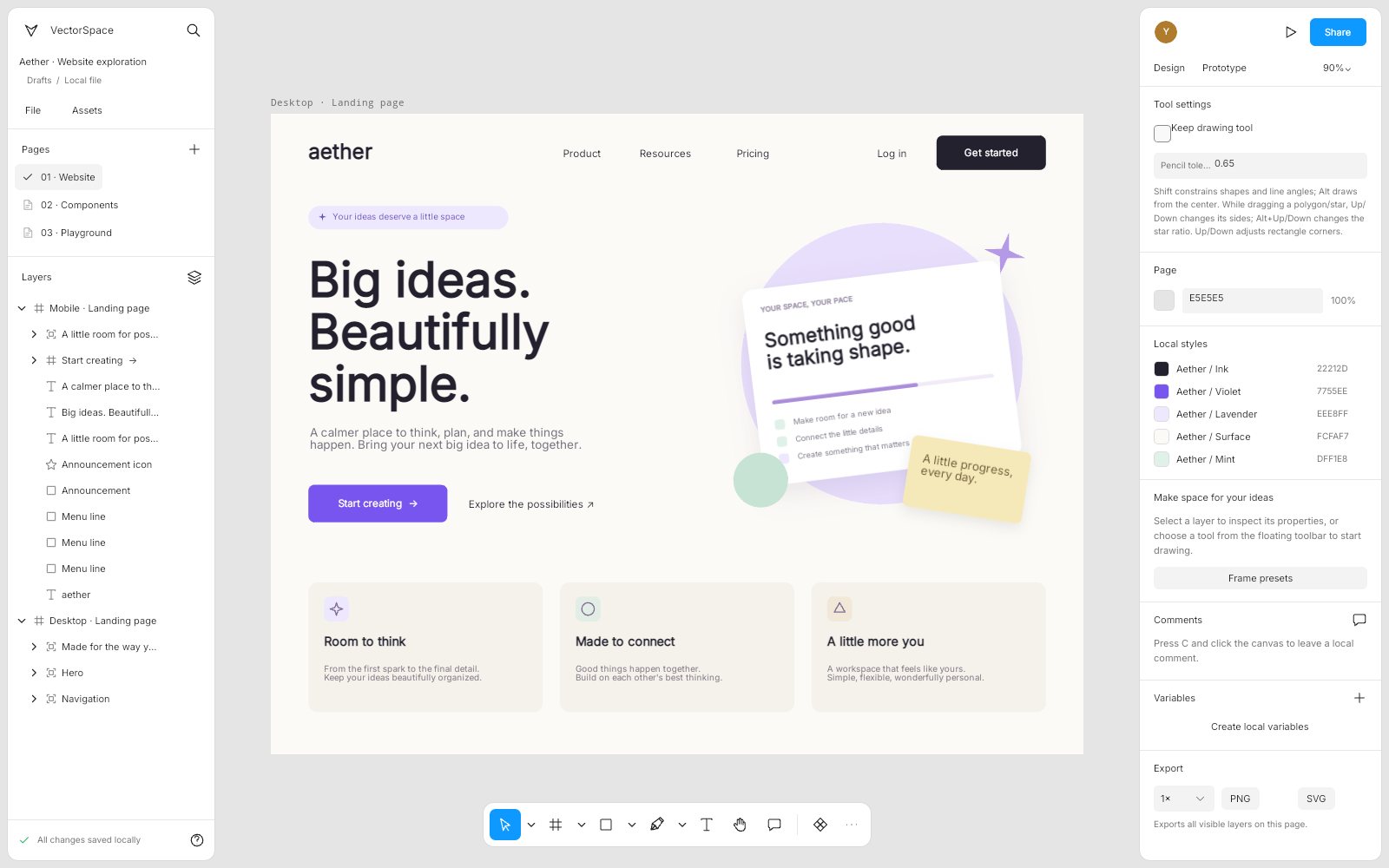
What makes VectorSpace special
Familiar if you know Figma-style design tools — but original, local‑first and written end‑to‑end in C#.
Infinite canvas in C#
An infinite canvas with a floating tool palette and contextual properties, painted by SkiaSharp through Uno's SKCanvasElement—no parallel HTML editor.
Precise vector editing
Cubic pen and freehand paths, anchor and handle editing, exact de Casteljau curve subdivision and Boolean operations.
Auto-layout and constraints
Horizontal/vertical flow, wrapping, grid tracks and spans, padding and gaps, hug/fill sizing and edge or scale constraints.
Layered appearance
Stack solid, gradient and image paints with Fill/Fit/Crop/Tile, crop images directly on canvas, and add shadows and layer blur.
Local design systems
Component sets and variants, linked instances with overrides, and typed variables with aliases and inherited modes.
Interactive prototypes
An isolated playback runtime with flows, triggers, conditions, modal overlays, runtime variables and smart-matched transitions.
Self-hosted collaboration
Shared edits, remote cursors, participant following and synchronized comments against your own server, with per-user guarded undo.
Local-first recovery
No account for local work: recovery uses IndexedDB in the browser and the app-data folder on desktop, and Save downloads a real .vectorspace file.
From the repository
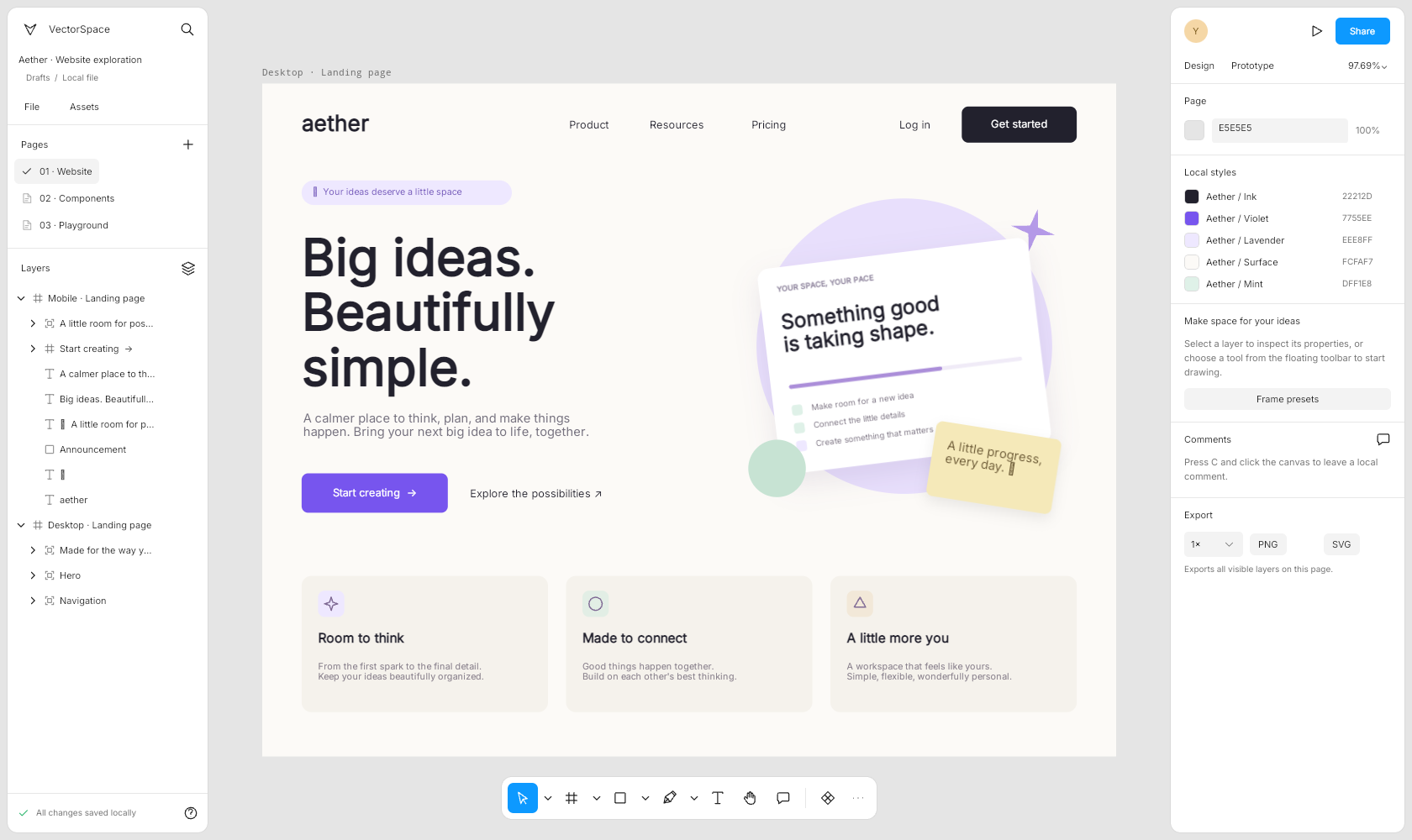
32 capabilities, 7 areas
Vector tools
- Primitive shapes plus frames, sections and slices
- Cubic pen and freehand pencil with configurable simplification tolerance
- Point mode: multi-anchor selection, Smooth / Mirrored / Corner handles
- Exact cubic subdivision, reverse path, open/close path and simplify freehand
- Guides and Boolean operations
Direct manipulation
- Scoped, deep and marquee selection plus matching-property selection
- Eight anchored resize handles, rotation, flips and Alt-drag duplication
- Gesture-scoped snapping, cursor-anchored zoom and pan
- Inline text editing and paste in place at the recorded world position
Layout
- Horizontal/vertical flow with wrapping
- Grid layout with fixed, auto and fraction tracks and spans
- Padding, gaps, constrained fill and axis-preserving hug/fill resize
- Absolute children and edge/scale constraints
Appearance
- Layered solid, gradient and image paints with per-fill blend and reordering
- PNG, JPEG and WebP placement with Fill, Fit, Crop and Tile modes
- Direct on-canvas image cropping with a thirds grid
- Strokes, dashes, opacity and blend modes
- Independent drop and inner shadows plus layer blur
Design systems
- Local component sets, variants and linked instances
- Supported overrides with stable descendant IDs across swaps
- Color, number, string and boolean variables with aliases and modes
- Dependency-aware clipboard and file operations
Prototypes
- Named flows and a dedicated player with Back, Restart and Close
- Click, press/release, enter/leave, key and delay triggers
- Ordered actions, typed conditions and runtime variables
- Modal overlays, frame scrolling and interactive variants
- Instant, dissolve, move-in, push and name-matched smart transitions
Collaboration
- Shared property and hierarchy edits with authoritative ordering
- Remote cursors, selections and participant following
- Synchronized comments with concurrent reply append
- Viewer, commenter, editor and owner invitations with revocation
- Persistent server revisions with download and conditional restore
Run VectorSpace right here
The live browser build is the full C# editor running on WebAssembly—open a sample playground and edit every shape, paint and interaction. Switch viewports, go fullscreen and tick off the guided tour as you explore.
Try VectorSpace live
The live browser build is the full C# editor running on WebAssembly—open a sample playground and edit every shape, paint and interaction.
Real C# · Uno WebAssembly · runs locally in your browser10 libraries you can embed
VectorSpace is assembled from independently reusable libraries, each published on NuGet.org. Hover the graph to trace dependencies; click a node to jump to its package, and open a card for install and usage.
VectorSpace.Model
Scene graph, variables, reactions, affine geometry and paths
VectorSpace.Layout
Flow/grid auto-layout, constraints and indexed snapping
VectorSpace.Documents
Native JSON, validation, SVG interchange, samples and storage contracts
VectorSpace.Editing
Selection, transactions, undo/redo, components and viewport services
VectorSpace.Prototyping
Deterministic isolated prototype playback, navigation and interpolation
VectorSpace.Collaboration
Identity-addressed transactions, conditional undo, replicas and HTTP transport
VectorSpace.Skia
Design/prototype rendering, hit testing, Boolean paths and PNG export
VectorSpace.Controls
Dense editor controls, icons, numeric scrubbing, color picker and avatars
VectorSpace.Editor
Design surface, prototype player and remote-presence overlay
VectorSpace.Workbench
Complete authoring, sharing, recovery and history workflows
10 packages on NuGet.org
All ten libraries are MIT-licensed, versioned together with the app and published to NuGet.org on tagged releases, with symbol packages (.snupkg) and SourceLink. The seven engine packages target net10.0 and have no UI dependency (only VectorSpace.Skia needs SkiaSharp); VectorSpace.Controls, VectorSpace.Editor and VectorSpace.Workbench are Uno Platform libraries targeting net10.0-desktop and net10.0-browserwasm. The core model package is VectorSpace.Model because the VectorSpace.Core ID on NuGet.org belongs to another owner; its assembly and namespaces remain VectorSpace.Core. The separate ASP.NET collaboration host lives under server/ and is not a package.
dotnet add package VectorSpace.Model --prerelease<PackageReference Include="VectorSpace.Model" Version="0.7.0-alpha.1" />
<PackageReference Include="VectorSpace.Layout" Version="0.7.0-alpha.1" />
<PackageReference Include="VectorSpace.Documents" Version="0.7.0-alpha.1" />
<PackageReference Include="VectorSpace.Editing" Version="0.7.0-alpha.1" />
<PackageReference Include="VectorSpace.Prototyping" Version="0.7.0-alpha.1" />
<PackageReference Include="VectorSpace.Collaboration" Version="0.7.0-alpha.1" />
<PackageReference Include="VectorSpace.Skia" Version="0.7.0-alpha.1" />
<PackageReference Include="VectorSpace.Controls" Version="0.7.0-alpha.1" />
<PackageReference Include="VectorSpace.Editor" Version="0.7.0-alpha.1" />
<PackageReference Include="VectorSpace.Workbench" Version="0.7.0-alpha.1" /><!-- Directory.Packages.props -->
<ItemGroup>
<PackageVersion Include="VectorSpace.Model" Version="0.7.0-alpha.1" />
<PackageVersion Include="VectorSpace.Layout" Version="0.7.0-alpha.1" />
<PackageVersion Include="VectorSpace.Documents" Version="0.7.0-alpha.1" />
<PackageVersion Include="VectorSpace.Editing" Version="0.7.0-alpha.1" />
<PackageVersion Include="VectorSpace.Prototyping" Version="0.7.0-alpha.1" />
<PackageVersion Include="VectorSpace.Collaboration" Version="0.7.0-alpha.1" />
<PackageVersion Include="VectorSpace.Skia" Version="0.7.0-alpha.1" />
<PackageVersion Include="VectorSpace.Controls" Version="0.7.0-alpha.1" />
<PackageVersion Include="VectorSpace.Editor" Version="0.7.0-alpha.1" />
<PackageVersion Include="VectorSpace.Workbench" Version="0.7.0-alpha.1" />
</ItemGroup> Published with NuGet Trusted Publishing from GitHub Actions, with symbols (.snupkg) and SourceLink. Release v0.7.0-alpha.1 ↗
Dependencies follow the project references: Layout and Documents → Model; Editing → Layout + Documents; Prototyping → Editing; Collaboration → Documents; Skia → Prototyping + SkiaSharp; Controls is standalone Uno; Editor → Controls + Skia; Workbench → Editor + Collaboration.
The serializable document model: pages, nodes, fills/strokes/effects, auto-layout settings, components, variables and prototype reactions, plus double-precision Vec2/RectD/Matrix2D geometry. Use it on its own to generate or inspect designs in any .NET app. No dependencies and no UI.
dotnet add package VectorSpace.Model --prereleaseKey types namespace VectorSpace.Core
DesignDocument– pages, comments, variable collections;AllNodes(),Find(id),RebuildParents().DesignPage/DesignNode– node tree withKind, bounds,Fills,Strokes,Shadows,Layout,Children,Add(child).DesignNode.WorldMatrix/WorldBounds– parent-relative transforms resolved to canvas space.FillStyle,StrokeStyle,ShadowStyle,AutoLayout– typed appearance and layout settings.Vec2,RectD,Matrix2D– immutable geometry withMap,Inverse,Unionand friends.
Basic usage
using VectorSpace.Core;

var document = new DesignDocument { Name = "Landing page" };
var frame = new DesignNode { Kind = NodeKind.Frame, Name = "Hero", Width = 1280, Height = 720, Fill = "#FFFFFF" };
document.Pages[0].Nodes.Add(frame);

var button = frame.Add(new DesignNode { Name = "CTA", X = 80, Y = 520, Width = 200, Height = 56, CornerRadius = 12 });
button.Fills[0] = new FillStyle { Kind = FillKind.LinearGradient };
button.Strokes.Add(new StrokeStyle { Color = "#1E1E1E", Width = 2 });
button.Rotation = 15;

RectD world = button.WorldBounds;            // rotated, in canvas coordinates
Vec2 local = button.WorldMatrix.Inverse.Map(world.Center);
Console.WriteLine($"{document.AllNodes().Count()} nodes, CTA at {world}");Horizontal/vertical/grid auto-layout with wrap, padding, gaps, hug/fill sizing and edge/scale constraints, plus an indexed snap engine for gesture alignment. Depends on VectorSpace.Model; no UI.
dotnet add package VectorSpace.Layout --prereleaseKey types
LayoutEngine.Arrange(node)/Arrange(roots)– lays out auto-layout frames recursively.LayoutEngine.Resize(node, width, height)– resizes and applies child constraints.SnapIndex– prebuilt, sorted snap targets (bounds and guides) withSnap(moving, tolerance).SnapEngine.Snap(...)– one-shot snapping;SnapResultholds theCorrectionandSnapLines to draw.
Basic usage
using VectorSpace.Core;
using VectorSpace.Layout;

var row = new DesignNode { Kind = NodeKind.Frame, Name = "Toolbar" };
row.Layout = new AutoLayout { Direction = LayoutDirection.Horizontal, Gap = 8, HugWidth = true, HugHeight = true };
for (var i = 0; i < 3; i++) row.Add(new DesignNode { Name = $"Item {i}", Width = 40, Height = 40 });

LayoutEngine.Arrange(row);                    // positions children, hugs the frame
Console.WriteLine($"{row.Width} x {row.Height}");

var index = new SnapIndex(row.Children.Select(c => c.WorldBounds));
SnapResult snap = index.Snap(new RectD(62, 18, 40, 40), tolerance: 4);
Console.WriteLine($"Correction {snap.Correction}, {snap.Lines.Count} guide lines");Reading, writing and validating native .vectorspace JSON (schema 5, migrating 1–4), safe SVG import/export (no scripts, external resources or DTDs), the style-only property clipboard, sample documents and the storage interfaces hosts implement. Depends on VectorSpace.Model; no UI.
dotnet add package VectorSpace.Documents --prereleaseKey types
DocumentJson–Load,Save,Validate,CloneNode,SaveNodes/LoadNodes.SvgFormat–Export(roots, bounds)andImport(svg)returningSvgImportResult(document + warnings).PropertyClipboard– portable fill/stroke/effect/typography transfer packets.IWorkspaceStorage/ISharedRecoveryStorage– autosave, open/save and recovery contracts for hosts.SampleDocument,PrototypeSample,AppearanceSample– original editable samples.
Basic usage
using VectorSpace.Core;
using VectorSpace.Documents;

DesignDocument document = DocumentJson.Load(File.ReadAllText("design.vectorspace")); // validates and migrates
File.WriteAllText("copy.vectorspace", DocumentJson.Save(document));

var frame = document.Pages[0].Nodes[0];
File.WriteAllText("frame.svg", SvgFormat.Export([frame], frame.WorldBounds));

SvgImportResult imported = SvgFormat.Import(File.ReadAllText("icon.svg"));
foreach (var warning in imported.Warnings) Console.WriteLine(warning);

string clipboard = PropertyClipboard.Copy(frame, PropertyGroups.Fills | PropertyGroups.Strokes);
PropertyClipboardPacket packet = PropertyClipboard.Read(clipboard);The headless editor: selection, transactional edits with undo/redo, moving/grouping/aligning, clipboard, components and variants, property transfer, batch rename and a viewport. Build your own UI or automation on it. Depends on Model, Layout and Documents; no UI.
dotnet add package VectorSpace.Editing --prereleaseKey types
EditorSession–Document,Page,Selection,Tool,Edit(label, action),Undo()/Redo(),Changedevent.EditorSession.MoveSelection,GroupSelection,Align,CopySelection/Paste– common commands.ComponentService–MakeComponent,InsertInstance,Synchronize(document).PropertyTransfer.PasteandLayerRename.Plan/Apply– property paste and previewed batch rename.Viewport– zoom/pan withWorldToScreen,ScreenToWorld,ZoomAt,Fit.
Basic usage
using VectorSpace.Core;
using VectorSpace.Documents;
using VectorSpace.Editing;

var session = new EditorSession(SampleDocument.Create());
session.Changed += (_, e) => Console.WriteLine($"{e.Kind}: {e.Label}");

var card = new DesignNode { Name = "Card", Width = 320, Height = 200, CornerRadius = 16 };
session.Edit("Add card", () => session.AddNode(card));   // one undoable transaction
session.Select(card);
session.MoveSelection(24, 0);
session.UpdateSelection("Tint", node => node.Fill = "#0D99FF");

Console.WriteLine($"{session.UndoLabel} (dirty: {session.IsDirty})");
session.Undo();A private, deterministic prototype runtime: it plays a copy of the document (the source is never mutated), evaluates triggers, conditions and runtime variables, and drives navigation, Back, overlays, scrolling and transitions from an explicit clock. Depends on VectorSpace.Editing; no UI.
dotnet add package VectorSpace.Prototyping --prereleaseKey types
PrototypeSession–View,Dispatch(trigger, hitId),DispatchKey,Back(),ScrollBy,AdvanceTo(ms).PrototypeView– current frame, scroll and overlay stack (InputRootreceives input).PrototypeAnimation/PrototypeTween– eased transitions and smart-animate interpolation.PrototypeGeometry– overlay placement and scroll clamping.
Basic usage
using VectorSpace.Core;
using VectorSpace.Documents;
using VectorSpace.Prototyping;

var player = new PrototypeSession(PrototypeSample.Create());
Console.WriteLine($"Starting frame: {player.View.Frame.Name}");

var hit = player.View.InputRoot.Children.FirstOrDefault();
if (player.Dispatch(PrototypeTrigger.Click, hit?.Id, userInitiated: true))
{
    player.AdvanceTo(player.ClockMilliseconds + 300);        // deterministic clock drives transitions
    Console.WriteLine($"Now on {player.View.Frame.Name}, animating: {player.IsAnimating}");
}
if (player.CanGoBack) player.Back();Client-side collaboration: projects documents into identity-addressed, versioned property cells, diffs and rebases them, keeps guarded shared undo, and talks to a VectorSpace.Server room over HTTPS with presence and invitations. Depends on VectorSpace.Documents; no UI. See Collaboration for semantics.
dotnet add package VectorSpace.Collaboration --prereleaseKey types
DocumentProjection–FromDocument,ToDocument,Diff,ApplyoverSharedSnapshotcells.SharedReplica– confirmed/visible state, pending batches, conditional undo/redo and recovery copies.CollaborationConnection–JoinAsync,Start,Submit,Undo/Redo,SetPresence,Participants.RoomTransport/RoomAddress– room creation, invitations, history and invitation-link parsing.
Basic usage
using VectorSpace.Collaboration;
using VectorSpace.Documents;

// Pure projection: documents become versioned property cells that can be diffed.
var before = DocumentProjection.FromDocument(SampleDocument.Create());
var edited = DocumentProjection.ToDocument(before);
edited.Pages[0].Nodes[0].Name = "Renamed";
List<CellChange> changes = DocumentProjection.Diff(before, DocumentProjection.FromDocument(edited));

// Live room (the dispatcher marshals callbacks onto your UI thread).
var address = RoomAddress.Parse(invitationLink);
using var room = await CollaborationConnection.JoinAsync(address, action => { action(); return Task.CompletedTask; });
room.Changed += remote => Console.WriteLine($"{room.Status} ({room.Participants.Count} online)");
room.Start();
if (room.CanEdit) room.Submit(DocumentJson.Save(edited), "Rename frame");The SkiaSharp renderer shared by the editor and headless tools: design and prototype drawing with retained geometry/gradient/effect/image caches, hit testing, Boolean path operations, editable path conversion and PNG export. Depends on Prototyping/Editing and SkiaSharp; no Uno dependency.
dotnet add package VectorSpace.Skia --prereleaseKey types
SceneRenderer–Draw(canvas, nodes),HitTest(roots, point),Geometry(node),ExportPng(nodes, bounds, scale).PrototypeSceneRenderer– draws and hit-tests aPrototypeSession, including overlays.BooleanOperations.Apply(editor, renderer, BooleanOperation.Union)– Boolean path editing.RasterImageCodec/ImageAssetCache– bounded image import, decode and caching.
Basic usage
using VectorSpace.Core;
using VectorSpace.Documents;
using VectorSpace.Skia;

var document = DocumentJson.Load(File.ReadAllText("design.vectorspace"));
var frame = document.Pages[0].Nodes[0];
using var renderer = new SceneRenderer();
File.WriteAllBytes("frame.png", renderer.ExportPng([frame], frame.WorldBounds, 2));

DesignNode? hit = renderer.HitTest(document.Pages[0].Nodes, new Vec2(120, 80), deep: true);
using var surface = SkiaSharp.SKSurface.Create(new SkiaSharp.SKImageInfo(800, 600));
renderer.Draw(surface.Canvas, document.Pages[0].Nodes);Dense, accessible Uno Platform controls with shared design tokens: icon buttons with original vector glyphs, scrubbable numeric fields, color fields with a spectrum picker, inspector sections, layer rows, rename and property-transfer panels and participant avatars. It has no document or editor dependency; requires Uno Platform (Skia renderer).
dotnet add package VectorSpace.Controls --prereleaseKey types
Studio– tokens (Accent,Ink,Font) and helpers such asBrush,Text,Input,Columns.NumericField– labelled numeric input with scrubbing,Minimum/Maximum/StepandValueCommitted.ColorField/ColorSpectrum– hex color input and Skia spectrum picker.IconButton,InspectorSection,LayerRow,ParticipantStrip,BatchRenamePanel.
Basic usage
using Microsoft.UI.Xaml.Controls;
using VectorSpace.Controls;

var size = new InspectorSection("Size");
size.Body.Children.Add(Studio.Columns(
    (new NumericField("W", 320, w => Console.WriteLine($"Width {w}")) { Minimum = 1 }, -1),
    (new NumericField("H", 200, h => Console.WriteLine($"Height {h}")) { Minimum = 1 }, -1)));
size.Body.Children.Add(new ColorField("#0D99FF", hex => Console.WriteLine(hex)));

var panel = new StackPanel { Width = 260 };
panel.Children.Add(new IconButton("undo", "Undo", () => { }));
panel.Children.Add(size);
window.Content = panel;The embeddable design surface: an Uno SKCanvasElement-based canvas with direct manipulation, vector and text tools, snapping, image crop, comments, a full-screen PrototypePlayer and a retained remote-presence overlay. Bind it to an EditorSession and add your own chrome. Depends on VectorSpace.Controls and VectorSpace.Skia; requires Uno Platform.
dotnet add package VectorSpace.Editor --prereleaseKey types
DesignSurface–Session,Renderer,Fit(),Invalidate(),Present(), vector-edit commands,StatusChanged.PrototypePlayer– standalone prototype playback control over aPrototypeSession(Playback).RemotePresenceLayer/RemotePeer– collaborator cursors and selections drawn above the canvas.Keyboard– current modifier-key state (Control,Shift,Alt) shared with the workbench.
Basic usage
using VectorSpace.Documents;
using VectorSpace.Editing;
using VectorSpace.Editor;

var session = new EditorSession(SampleDocument.Create());
var surface = new DesignSurface { Session = session };
surface.StatusChanged += message => Console.WriteLine(message);
session.Tool = EditorTool.Rectangle;
window.Content = surface;

// Or play a prototype without the editor:
window.Content = new PrototypePlayer(PrototypeSample.Create());The complete VectorSpace authoring experience as one control: toolbar and tool palette, layers, inspector, design systems, prototype editing, clipboard, sharing and collaboration, recovery and history. The host supplies an EditorSession and an IWorkspaceStorage (browser, desktop or your own). Depends on VectorSpace.Editor and VectorSpace.Collaboration; requires Uno Platform.
dotnet add package VectorSpace.Workbench --prereleaseKey types
StudioWorkbench(EditorSession session, IWorkspaceStorage storage)– the workbenchUserControl.StudioWorkbench.Surface– the hostedDesignSurface(renderer, typeface, focus).StudioWorkbench.ShowStatus(message, error)andOpenCollaborationInvitation(link).IWorkspaceStorage/ISharedRecoveryStorage– implement for autosave, open/save and shared recovery.
Basic usage
using VectorSpace.Documents;
using VectorSpace.Editing;
using VectorSpace.Workbench;

var session = new EditorSession(SampleDocument.Create());
// Supply IWorkspaceStorage; optionally implement ISharedRecoveryStorage.
var workbench = new StudioWorkbench(session, storage);
window.Content = workbench;
window.Closed += (_, _) => workbench.Dispose();
window.Activate();From engine to workbench
Layers build bottom‑up: each one depends only on those beneath it.
Platform-independent scene graph, geometry, variables and reactions with stable node IDs.
VectorSpace.CoreUI-free net10.0 libraries for layout, documents, transactional editing, prototype playback and collaboration.
VectorSpace.LayoutVectorSpace.DocumentsVectorSpace.EditingVectorSpace.PrototypingVectorSpace.CollaborationSkiaSharp scene rendering with retained resources, hit testing, Boolean paths and PNG export.
VectorSpace.SkiaReusable Uno controls and the embeddable design canvas, prototype player and presence overlay.
VectorSpace.ControlsVectorSpace.EditorComposes authoring, sharing, recovery and history into the complete browser/desktop workspace.
VectorSpace.WorkbenchEmbed, script, extend
using VectorSpace.Documents;
using VectorSpace.Editing;
using VectorSpace.Workbench;

var session = new EditorSession(SampleDocument.Create());
// Inject your IWorkspaceStorage implementation; optionally add ISharedRecoveryStorage.
window.Content = new StudioWorkbench(session, storage);using VectorSpace.Documents;
using VectorSpace.Skia;
var document = DocumentJson.Load(File.ReadAllText("design.vectorspace"));
var frame = document.Pages[0].Nodes[0];
using var renderer = new SceneRenderer();
File.WriteAllBytes("frame.png", renderer.ExportPng([frame], frame.WorldBounds, 2));export VECTORSPACE_CREATE_KEY="$(openssl rand -hex 32)"
export VECTORSPACE_DATA="$HOME/.local/share/VectorSpace/rooms"
dotnet run --project server/VectorSpace.Server -c Release \
--urls http://127.0.0.1:5097
# Alternative, with a named persistent Docker volume:
docker compose up --build -dFile formats
Keyboard essentials
Continuously verified
Each push runs through GitHub Actions. The public browser build is deployed only from successful pipelines.


Toolchain
Third‑party NuGet packages
git clone https://github.com/wieslawsoltes/VectorSpace.git
cd VectorSpace
dotnet workload install wasm-tools
dotnet run --project src/VectorSpace.App -f net10.0-browserwasmWhat it doesn’t claim
The project documents its limits as carefully as its features.
- Independent of Figma: no native .fig/FigJam interchange, remote libraries, plugin execution or full Dev Mode
- GitHub Pages hosts only the client; cross-device sharing needs your own HTTPS server with persistent disk
- No vector networks, multi-contour topology editing, variable-width strokes or mixed rich-text runs
- Collaboration merges properties, not characters or path anchors; capability links are not SSO identity
- Browser recovery storage is not a backup service; save .vectorspace copies explicitly